AI automation tools that don’t need coding are shaking up how businesses automate processes. As a business owner or someone who’s not all about tech, you can bypass developers to get cracking on repetitive tasks or AI-powered workflows. These no code AI automation tools let you whip up powerful automations with easy drag-and-drop interfaces. But what’s the real deal with these tools? How can you tell which ones actually deliver? And should you opt for no code or go the custom development route?
What no-code AI automation means — and where things can get a bit fuzzy
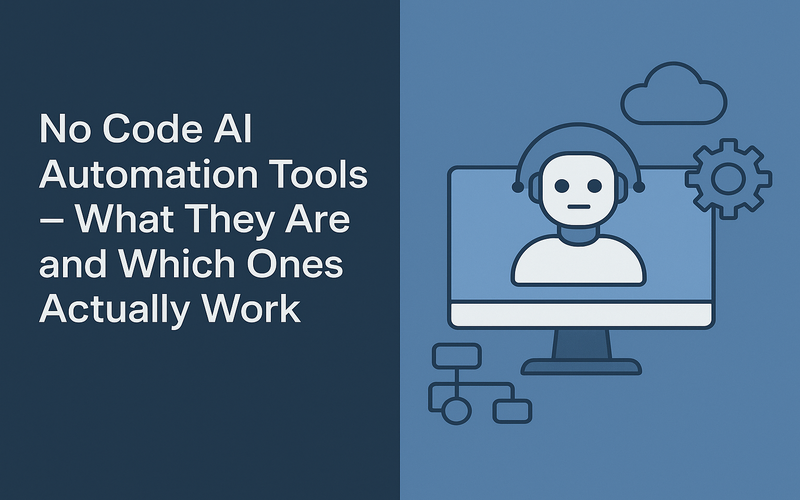
No code AI automation tools let folks craft workflows integrating AI capabilities without needing programming chops. They’re like visual AI automation platforms where you connect apps, toss in triggers, and set automations in motion. Maybe you’ll auto-sort customer emails with AI, sending them to the right team using a no code workflow builder.
The trick is, “no code” means you don’t have to do any programming. This is different from low code AI automation, which still demands some scripting or coding for customization. The line can get blurry since no code tools might offer configurable logic steps, but the action happens through visual interfaces, not code.
These tools essentially turn AI techniques (like natural language processing, image recognition, or decision-making) into straightforward blocks anyone can arrange. So, business owners can automate tasks quickly while leveraging AI's muscle.
Who no-code automation works for — and who might still need those developers
No code automation with AI is tailor-made for business owners or founders who want to tackle workflows without bringing engineers on board. It fits teams looking to cut down on routine task time, streamline customer interactions, or experiment with AI-driven workflows swiftly.
Take a small marketing agency, for instance—they can set up a no code workflow builder powered by AI to sift through social media comments, tag important posts, and alert the team automagically. No more manual drudgery, quicker response times.
That said, some scenarios still demand developers and custom development. Complex workflows with intricate logic, large-scale automation, or deep integrations with custom software are beyond no code’s reach. Like a logistics firm looking to pull off AI-powered route optimization using real-time data feeds and custom hardware—that calls for developers.
If you’re a business owner, think about no code AI automation tools for getting started, testing ideas, or basic workflows that don’t need heavy customization. For bigger, long-term plans or when scalability is key, developers are your go-to.
The leading no-code AI automation tools in 2026
The no code AI automation scene is booming. Here are some top tools in 2026 that mix visual automation builders with AI smarts:
- Zapier AI: Enhances Zapier’s popular automation builder with AI steps like sentiment analysis and smart filters. User-friendly and compatible with a ton of apps.
- Make (formerly Integromat): Delivers a visual AI automation platform capable of intricate workflows with conditional logic and AI modules like language translation and image recognition.
- Microsoft Power Automate: Includes AI Builder templates for object detection, form processing, and sentiment analysis alongside no code workflow building for business users.
- UiPath Automation Cloud: Offers a low code AI automation experience with some no code features, zeroing in on robotic process automation (RPA) using AI models.
- n8n: An open-source visual workflow automation platform that accommodates AI integrations and custom nodes, ideal for those wanting some flexibility within no/low code.
These tools empower business owners to craft AI-powered automations without needing to write any code but still pack enough punch to manage various use cases.
What you can build without code — real workflow examples
Here’s what’s possible with no code AI automation tools, sans programming:
- Customer support triage: Automatically view incoming support emails with AI to gauge urgency and subject, forward to the right agent, and send instant auto-replies.
- Social media monitoring: Filter brand mentions, use AI to classify sentiment, and pass positive feedback to marketing, negative comments to CRM for follow-up.
- Invoicing automation: Use AI OCR to grab essential data from scanned invoices, plug data into accounting software, and kick off payment approval workflows.
- Recruiting pipeline: Analyze resumes with AI to pinpoint skills and experience, score candidates, and schedule interviews without sifting through them manually.
iTechNotion has assisted numerous businesses in rolling out such no code workflows. One retail client automated order confirmation emails and shipping notifications with Zapier AI connected to their Shopify store—trimmed manual email work by 60%. Would’ve been weeks for developers but took just days using no code AI tools.
Where no-code encounters its boundaries — intricate logic, bespoke integrations, scale
No code AI automation tools have clear limits. They’re often set up for simple to mid-level complexity workflows. When workflows need multi-layered conditional logic, looping, or data transformations, no code platforms might hit a wall or get clumsy.
Custom integrations with legacy systems or niche software remain tricky. Many no code tools rely on existing connectors, so unsupported software requires developer intervention. Likewise, advanced AI functions, like tailor-made machine learning models, go beyond no code.
Scalability can be a hiccup too. When automations need to cope with high-volume, low-latency workloads or require enterprise-grade security, custom-developed solutions are often more dependable.
Being upfront about these limits helps businesses steer clear of frustration and mismatched expectations versus outcomes.
The honest trade-offs — speed versus flexibility, simplicity versus capability
Using no code AI automation tools means sacrificing some flexibility for speedier deployment. You gain simplicity and ease of use but lose detailed control. It’s spot on for rapid prototyping or nailing down simple tasks.
Custom development gives the most capability and personalization but takes more time, cash, and tech know-how. It also grants more room for unique system integrations or crafting intricate AI models.
Deciding between the two hinges on your project aims, funds, and timeline.
When to kick off with no-code and when to jump directly to custom development
Begin with no code AI automation tools if you’re eager to explore AI-driven automation on the quick, cut costs, and test out ideas. Early-stage startups and small enterprises reap benefits from no code’s speed and simplicity.
Dive into custom development if your workflows demand distinct features, need significant scaling, or require deep integration with internal systems. Big organizations or businesses with very specific needs will find custom code a better match.
Often, starting no code can help craft MVPs and prove worth. As automation expands, moving to custom development makes sense.
How iTechNotion assists businesses in choosing and deploying the right approach
At iTechNotion, we guide businesses in choosing between no code AI automation tools and custom development depending on practical needs. We review workflows, complexity, potential scale, and budget to find the best approach.
Our squad has put no code AI workflow builders in action for startups seeking fast outcomes and developed custom AI automation for enterprises needing scale. A client, a healthcare startup, leaned on no code automation for handling patient appointment setups and reminders efficiently. As they grew, iTechNotion helped concoct custom AI-powered clinical data analysis solutions.
We believe in offering true-to-life advice. No single tool fits all situations, so we steer clients away from overhyping no code magic when custom solutions bring real payoff.
Marrying experience, expertise, and a profound grasp of AI workflows, iTechNotion empowers clients to harness AI’s potential—whether via no code automation platforms or tailored development.
Summary: No code AI automation tools democratize AI-driven workflow automation for business owners lacking tech skills. They allow for quick, powerful workflow building but face challenges with complexity, integration, and scalability. Whether to choose no code or custom leans on your project’s needs, timeline, and pocket. iTechNotion boasts hands-on expertise assisting businesses to navigate this decision smartly.
Ready to dive into automating? Reach out to iTechNotion today to find the perfect AI automation path for your biz and unlock those sweet time-saving workflows without writing lines of code.