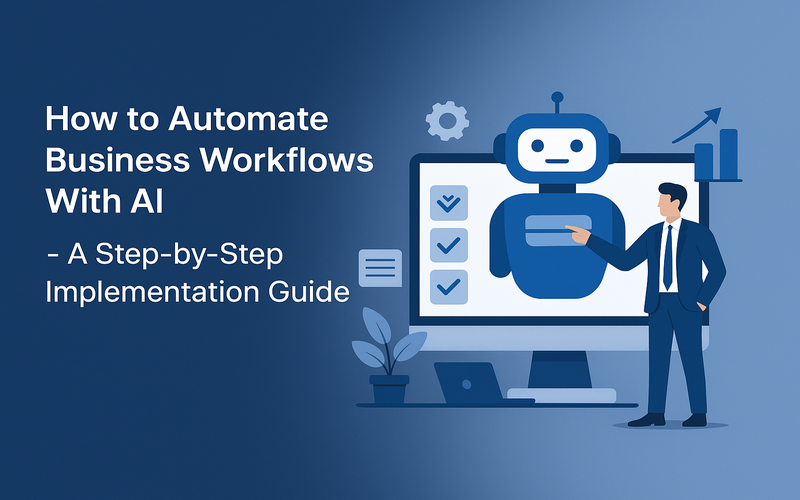
Automating business workflows with AI isn't just some sci-fi fantasy anymore. It's a must-do for product managers and operations folks wanting to ramp up and fine-tune their processes. This guide dives into how to automate business workflows with AI through a practical, step-by-step lens.
Drawing from experiences on successful projects at iTechNotion, this article blends hands-on know-how, industry best practices, and solid references. We'll cover everything from workflow mapping right down to deployment and optimization, so you're all set to build AI-driven workflows with a sense of assurance.
Before you automate anything — mapping the current workflow accurately
Before jumping into AI-based automation, you need a crystal-clear picture of your current workflows. Start by documenting each step, the people involved, decision nodes, data, and performance metrics.
Why workflow mapping matters
Without a precise map, you risk breaking your processes or missing out on key exceptions. Mapping helps spot bottlenecks and redundant steps, plus highlights which manual tasks should be automated. It's also your baseline for measuring success after AI deployment.
Practical approach to mapping
- Bring in cross-department teams to get different viewpoints.
- Use process mapping tools like Microsoft Visio, Lucidchart, or free BPMN editors to visualize tasks and dependencies.
- Record both ideal and real workflows, including typical deviations or error points.
- Figure out what data's used at each step and how you access it.
Example: At iTechNotion, before we automated customer onboarding, we hosted workshops bringing together customer service reps, IT, and compliance teams. Unnoticed manual checks were causing delays—we nailed those down for precise automation.
Step 1 — Identify the right workflow to automate first
Not all workflows are equal when it comes to AI automation. Start with what can give you the biggest bang for your buck.
Criteria for selection
- Volume and frequency: Tasks that happen often in large numbers tend to offer more savings.
- Repetitiveness: Highly repetitive tasks are the easiest to automate with confidence.
- Data availability and quality: Structured, accessible data is crucial for AI accuracy.
- Business impact: Focus on workflows where enhancements can align with strategic goals like reducing costs or improving customer service.
- Complexity and risk: Avoid overly complex workflows or those riddled with exceptions for starters.
Example: One client of iTechNotion chose to automate their invoice approval workflow due to high manual processing time, simple rules, and direct cost impact.
Step 2 — Choose your automation stack based on complexity and scale
Getting your tech stack right means balancing workflow needs with existing infrastructure and AI capabilities.
Components of the automation stack
- Workflow orchestration tools: Platforms like Camunda, Apache Airflow, or Microsoft Power Automate to coordinate the flow.
- Integration middleware: Tools such as Zapier, Mulesoft, or custom APIs to connect different systems and data sources.
- AI modules: Pre-trained models for tasks like classification, natural language processing (NLP), or custom machine learning (ML) models developed in frameworks like TensorFlow or PyTorch.
- Monitoring and analytics: Dashboards and alerts to keep track of workflow health and performance.
Choosing based on complexity
Simple workflows with clear rules might use rule-based automation paired with lightweight AI. Complex ones with many decision points could need advanced orchestration and custom AI models.
Scale considerations
Think about your expected transaction volume and scalability needs. Some platforms are built to scale better and offer cloud-native solutions to manage growth.
Tip: Use open standards like BPMN (Business Process Model and Notation) for flexibility and to avoid vendor lock-in.
Step 3 — Design the workflow logic — triggers, conditions, actions, exceptions
Once you've nailed your stack, it's time to convert your mapped workflow into something executable.
Defining triggers
Triggers are events that kick off or just impact your workflow's progress—think receiving an invoice or a customer request.
Setting conditions
Lay down rules that guide branching decisions. These might be straightforward boolean checks or complex AI-driven predictions.
Specifying actions
Actions are the tasks that get automatically handled, like sending emails, updating databases, generating reports, or using AI services like text classification.
Handling exceptions
Workflows don't always go smoothly. Set up how the system should react to errors, missing data, or unexpected stuff. Build exception paths to alert or rely on human reviews when needed.
Example: In iTechNotion's accounts payable automation project, we crafted several exception paths to handle invoice discrepancies flagged by AI classifiers, ensuring a human eye was involved when AI scores were iffy.
Step 4 — Build the integrations — connecting your existing tools and data sources
AI workflow automation thrives on seamless integration with the systems you already use.
Integration types
- Data integrations: Access and bring together data from ERP, CRM, databases, or cloud storage.
- APIs: Create RESTful or SOAP APIs to perform actions or capture events in external systems.
- Event streams: Use tools like Apache Kafka to ingest real-time data if necessary.
Technical best practices:
- Employ API gateways to manage and secure access.
- Apply data validation and transformation to keep things consistent.
- Document integration points thoroughly for easy maintenance.
Example: iTechNotion developed a custom integration layer for a telecom client, linking Salesforce CRM, an internal billing system, and AI text analysis to automate service request triage.
Step 5 — Add the AI layer — decision nodes, content generation, classification
This step injects intelligence to tackle advanced decision-making and content tasks.
Common AI capabilities
- Classification: Categorize things like emails, invoices, or tickets.
- Prediction: Forecast outcomes or what the best next steps should be based on past data.
- Natural Language Processing (NLP): Pull out meaning, entities, or intent from text.
- Content generation: Auto-draft texts such as emails or reports.
Implementation notes
Consider using pre-built AI services like Google Cloud AI, AWS SageMaker, or Azure Cognitive Services if timelines or budgets limit custom model building. For specific needs, develop and train models on your data.
Limitations: AI might mess up, like misclassification or bias. Always check outputs and back up AI decisions with rules or let humans review stuff.
Step 6 — Test thoroughly — edge cases, failure modes, data validation
Testing helps avoid pricey automation errors and ensures everything works.
Testing scope
- Unit tests: Check each workflow step by itself.
- End-to-end tests: Use various input scenarios for full workflow tests, including wrong data.
- Edge cases: Check for rare or odd inputs, timing problems, system downtimes.
- Data validation: Ensure data remains intact and correctly transformed along the way.
Automated testing
Embed automated test suites to do regression tests after updates. Use simulation tools to mimic real-world data flows.
Example: iTechNotion’s quality assurance team simulated thousands of transaction cases, including data corruption scenarios, before deploying a financial automation workflow.
Step 7 — Deploy and monitor — what to track in the first 30 days
Getting your workflow live is just part of it. Monitoring starts right after deployment.
Monitoring metrics
- Throughput and latency: Check process volume and transaction times.
- Error rates: Keep an eye on the type and frequency of failures or exceptions.
- AI accuracy: Track confidence scores and misclassification stats.
- User feedback: Collect insights from workers and end-users.
Alerting and escalation
Trigger automated alerts when you hit certain thresholds—say, spikes in errors or AI confidence drops—so you can jump in quickly.
Example: After rolling out an AI-powered customer complaint routing system, iTechNotion watched for misrouting incidents to tweak classification models in the first few weeks.
Step 8 — Iterate — how to improve the workflow based on real performance
Keep improving to get the most from AI workflow automation.
Gather quantitative and qualitative data
Review monitoring dashboards, error logs, feedback on AI models, and user reports to spot issues.
Update models and logic
Retrain AI models with new insights to cut down errors. Adjust workflow logic and exception handling based on what you've learned.
Expand automation scope
Once initial workflows settle down, gradually automate nearby or trickier processes.
Example: iTechNotion’s client saw manual approvals dip 30% after fine-tuning their first AI workflows, eventually automating procurement requests too.
Common mistakes at each step and how to avoid them
Every step in AI workflow automation has its pitfalls. Here are frequent hiccups and advice to sidestep them.
- Before automation: Missing parts in workflow mapping can lead to gaps. Don't skip stakeholder interviews or ignore exceptions.
- Step 1: Starting with complex workflows can trip you up. Begin small to show value and gain experience.
- Step 2: Picking the wrong technology can result in rigid or expensive setups. Match tools smartly with needs and scale.
- Step 3: Forgetting exceptions causes failed automation. Craft sturdy exception paths with human-in-the-loop options.
- Step 4: Weak integrations cause data issues. Invest in dependable, well-tested connectors and data validation.
- Step 5: Overestimating AI’s capabilities than it’s worth leads to mistrust. Use AI to complement humans, especially when data is sparse.
- Step 6: Not testing enough risks post-launch errors. Test widely with real-world data samples and edge cases.
- Step 7: Ignoring monitoring data stifles learning. Set clear KPIs and review them rigorously from the start.
- Step 8: Skipping iteration holds back workflow maturity. Plan regular reviews and upgrades as part of your operational routine.
Transparency about AI's limits, clear exception handling, and human oversight are vital for reliable business workflow AI implementation.
Conclusion
Implementing AI for business workflow automation isn't just a set-it-and-forget-it deal. It's about thoroughly understanding your processes, choosing the right technology, designing logic, testing diligently, and continually improving even after going live. What truly matters is blending solid workflow knowledge with smart AI integration and attentive monitoring to get reliable results.
Based on iTechNotion’s practical experience, success here demands patience, technical diligence, and an honest grasp of AI’s capabilities and limits.
Take Action: Start by mapping a high-volume, repetitive workflow in your company now. Use this guide to draft your AI automation plan, involve your team in transparent design, and apply thorough tests before scaling. Proper prep and step-by-step implementation will position your workflows for lasting automation success with AI.