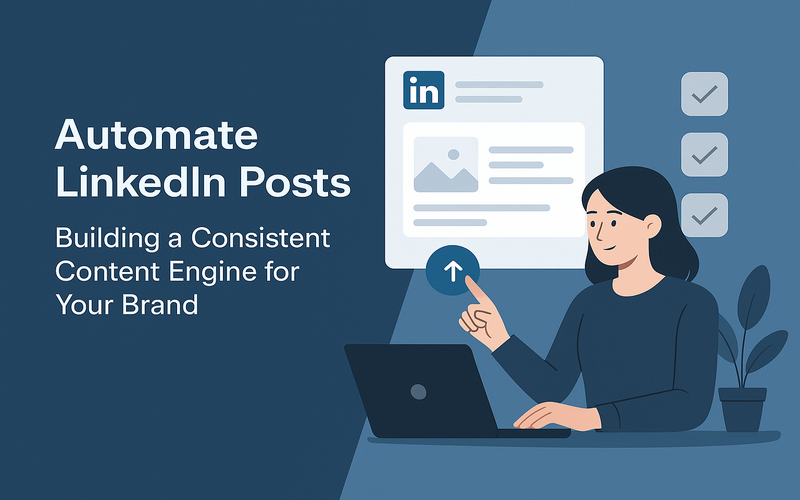
Keeping your LinkedIn activity consistent is tough for many product managers and ops leads. This guide shows you how to automate LinkedIn posts, so your brand always has fresh content. We’ll cover real-life examples, key ideas, and explain the tech stack like n8n, OpenAI, Google Sheets, and LinkedIn API to create your content automation blueprint. By the end, you'll know how to watch, improve, and scale your automation for multiple accounts, plus see how much you'll save versus posting by hand.
The consistency problem — why most LinkedIn strategies fail within 3 months
Most LinkedIn plans fall apart within a few months. Even though LinkedIn’s great for sharing wisdom, connecting with peers, and boosting your brand, success needs steady work. Failures often come down to limited resources and poor processes.
Common consistency blockers
- Manual work overload: Creating and posting takes time. Without help, the effort often trails off.
- Ad hoc planning: Without a schedule or roadmap, ideas fade or come too late.
- Lack of performance visibility: Without clear feedback and analytics, teams can lose motivation.
- Limited collaboration: Stakeholders find it hard to approve or contribute to content efficiently.
Many teams face these issues. iTechNotion partnered with several clients to tackle these by setting up automated LinkedIn content engines. They moved teams from posting occasionally to maintaining a consistent, strategic presence.
What a LinkedIn content automation engine looks like
An automation engine blends idea creation, content scheduling, publishing, and analytics. It helps product managers and ops leads switch from reactive posting to a planned, proactive approach.
Components of the automation engine
- Content Ideation: Gets ideas through brainstorming, industry news, or AI suggestions.
- Content Creation: Drafts or tweaks posts using AI or team input.
- Content Management: Tracks post status, topics, and deadlines using a tool like Google Sheets.
- Scheduling and Publishing: Automates posting at the best times with LinkedIn’s API.
- Approval Workflow: Provides human review and edits before publishing.
- Monitoring and Analytics: Keeps track of post engagement to sharpen the strategy.
This automation changes manual, error-prone tasks into streamlined workflows with clear accountability.
The content pipeline — from idea generation to scheduled publishing
Building a content pipeline defines how to turn ideas into scheduled LinkedIn posts.
1. Idea generation
Ideas come from teams, analyzing competitors, trends, or using AI tools like OpenAI for titles, hooks, or outlines.
2. Content drafting
Drafting turns ideas into text, carousels, polls, or infographics. AI can suggest drafts or rewrite content to match your brand's voice and style.
3. Content review and approval
Editors or managers check drafts for quality, brand consistency, and compliance, ensuring human oversight to avoid slips.
4. Scheduling and publishing
Once approved, content is slotted into a calendar system and scheduled using LinkedIn’s APIs or third-party tools for strategic timing.
Each stage updates the team on status and deadlines through notifications or dashboards, making sure everyone’s on the same page.
Setting up the automation stack — n8n, OpenAI, Google Sheets, LinkedIn API
Picking the right technical tools helps you effectively automate LinkedIn posts.
n8n for workflow orchestration
n8n is an open-source workflow tool that connects apps with customizable nodes. Its flexibility lets you integrate with LinkedIn’s API, Google Sheets, and AI services.
OpenAI for content generation
OpenAI models produce text based on your prompts. They speed up drafting by offering outlines, rephrased content, and different post versions.
Google Sheets as the content calendar
Google Sheets serves as the main content hub. The team logs ideas and tracks post status, approvals, and due dates here. It’s easy for collaboration and updates.
LinkedIn API for publishing
LinkedIn’s API links your automation engine with LinkedIn’s publishing service. It enables posts to be scheduled directly on profiles or pages.
Example workflow summary
1. Ideas logged in Google Sheets or created by AI 2. n8n initiates content creation with OpenAI API 3. Drafts saved back to Google Sheets for review 4. Approvers update status in Sheets 5. n8n spots approval and schedules post using LinkedIn API 6. Post published at the scheduled time 7. Engagement data collected for analytics Content types to automate — text posts, carousels, infographics, polls
Automation isn’t just for text. Different LinkedIn content formats need different automation techniques.
Text posts
The simplest to automate. AI can create compelling, topical messages. Scheduling through LinkedIn API is straightforward.
Carousels
Carousels are multi-slide posts, like PDFs or images. Automation can prepare slide content from templates and upload them via API but needs to support file handling.
Infographics
Automating infographics from data is catching on but still needs manual design input. It might connect with design tools or templates.
Polls
Polls boost engagement, but API support is limited. Some manual steps or third-party tools might be needed.
Knowing what you can automate and the limitations for each file type helps set clear expectations and design workflows smartly.
The approval workflow — how human oversight fits into the automation
Automating LinkedIn content doesn’t mean cutting out people entirely. Approval workflows ensure quality and relevance without holdups.
Key approval stages
- Initial content draft review: Content creators or AI make drafts that need vetting.
- Brand compliance check: Validates that posts meet legal, confidentiality, and brand standards.
- Final approval: Decision-makers greenlight the schedule for publishing.
Effective approval involves notifying reviewers, setting deadlines, and making edits simple. Google Sheets or integrated platforms track changes and approvals.
Balancing automation and human review
Too much automation risks irrelevant posts; too much manual review slows things down. Aim for balance—automation handles repetitive tasks while humans ensure quality.
Monitoring and optimisation — tracking engagement and refining the system
Performance monitoring feeds back into content strategy and system improvements. Tracking likes, comments, shares, and views shows your impact.
Using analytics to optimize
- Data collection: Automate fetching of LinkedIn post metrics every so often.
- Analysis: Pick out content types and topics that boost engagement.
- Adjustments: Refine AI prompts, posting schedules, and topic choices.
iTechNotion’s projects prove engagement improves as automation matures and content gets sharper.
Limitations and evolving features
LinkedIn’s analytics API is limited, offering fewer insights than others. New features are coming, though slowly. Stay up-to-date and ready to adapt.
Scaling across multiple LinkedIn accounts
Teams managing several LinkedIn profiles need to scale without chaos.
Handling multiple account authentication
Every LinkedIn account needs separate OAuth tokens. The automation system stores these securely for account-specific actions.
Custom scheduling for diverse audiences
Different accounts aim at varying audiences. Adjust your content calendar for each account’s unique schedule, content needs, and voice.
Workflow modularity
Design flexible workflows that adapt to different accounts, supporting many profiles with one system.
Real-world example: iTechNotion
iTechNotion successfully built multi-account LinkedIn automation for clients managing personal and corporate profiles—ensuring consistent posting and tailored content.
Cost comparison — manual content vs automated content engine
Knowing the costs helps support building an automated content system.
Manual content creation costs
- Labor: Time spent drafting, editing, and posting.
- Coordination: Meetings, approvals, and follow-ups increase overhead.
- Inconsistency risks: Lack of structure means missed opportunities and erratic posting.
Automated content engine costs
- Setup: Initial investment in developing workflows, APIs, and training.
- Tools and subscriptions: Costs for n8n hosting, OpenAI, and API access.
- Maintenance: Ongoing tweaking, monitoring, and scaling.
iTechNotion shows that automated systems cut the time to publish by over 70%, freeing up teams for strategy work. While there's an upfront cost, efficiency gains and consistent posting enhance performance and brand over time.
Automation also reduces missed posts and upgrades content quality with AI-generated drafts and fast approvals.
Conclusion
Automating LinkedIn posts lets you build a steady, scalable content pipeline, avoiding typical brand-building challenges. A solid design combines AI content generation, n8n workflow automation, content management with Google Sheets, and posting through LinkedIn API. This system keeps quality with approvals and sharpens performance with ongoing monitoring.
While LinkedIn's API has some limits, human insight helps your content stay on-brand and relevant. Scaling becomes easier with adaptable workflows and secure credentials.
Weigh the costs: automating saves time and resources long-term, letting your team chase strategy instead of manual posting.
If you’re ready to shape your LinkedIn presence for a product management or operations leadership role, start by mapping your content pipeline and exploring tools like n8n with AI. Begin with a proof-of-concept, take in feedback, and scale up.
Consider partners like iTechNotion who specialize in AI-powered workflows for LinkedIn automation and content engines. They offer the experience to boost your system's success realistically.
Ready to automate your LinkedIn posts and build a consistent content engine? Start by reviewing your current process and pinpointing steps for automation—then plan your workflow with n8n and OpenAI to begin smarter scheduling. Consistency and quality are sure to follow.