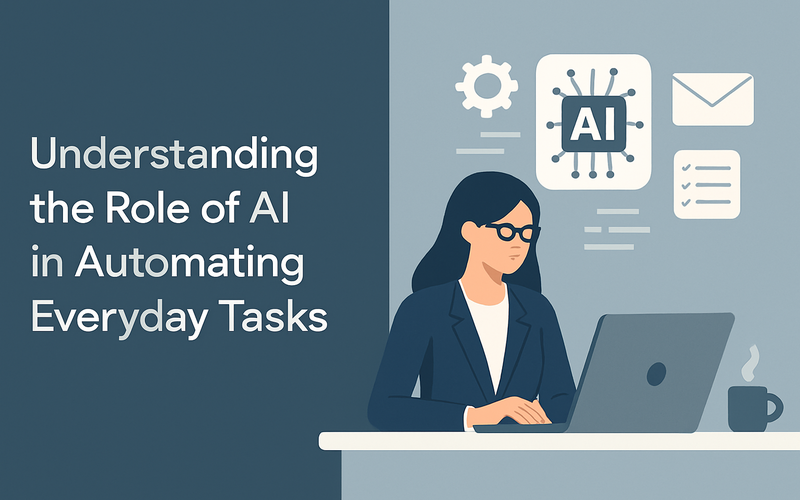
Artificial intelligence (AI) is quickly transforming the way we handle everyday tasks. For CTOs, product managers, and agencies, grasping AI automation basics is crucial for making smart choices about workflow automation. This article offers an easy, step-by-step guide to AI task automation, explaining the key concepts clearly and serving up real-world examples to help you assess AI automation options.
What Are AI Automation Basics?
In simple terms, AI automation basics cover the ways artificial intelligence can automatically perform routine tasks without human help. Unlike traditional methods that stick to set rules, AI uses machine learning, natural language processing, and computer vision to figure out and act on complicated input. This makes AI task automation more adaptable, flexible, and able to handle unstructured data.
Key Components of AI Automation
- Data Input: AI processes both structured and unstructured data from emails, documents, images, or voice inputs.
- Processing Engine: Machine learning models study data, spot patterns, and make decisions.
- Automation Output: AI triggers actions like sending emails, updating records, or creating reports.
- Feedback Loop: Continuous learning enhances AI’s accuracy over time.
Understanding these components helps when you're evaluating different platforms and tools that claim to offer AI-powered automation.
Why Does AI Automation Matter Today?
Businesses are under pressure to enhance efficiency and cut down on manual work. AI automation tackles these challenges by:
- Simplifying repetitive operations
- Minimizing human errors
- Speeding up decision-making
- Releasing employees to do higher-value work
For instance, an agency juggling multiple client campaigns can use AI-driven workflows to automate report creation, social media post schedules, and even initial customer responses. This saves time and boosts service quality.
An Introduction to AI Task Automation: How It Works
This section gives a straightforward guide to AI task automation with everyday examples to strengthen your grasp.
Step 1: Identify Repeatable Tasks
Begin by listing tasks that are done manually and follow a clear pattern. Usual candidates include:
- Data entry and validation
- Invoice processing
- Email sorting and replies
- Arranging meetings or appointments
Take the example of a product manager who sees that their team spends hours moving customer feedback from emails into tracking sheets. Perfect task to automate, right?
Step 2: Choose the Right AI Automation Tool
There are many platforms with AI capabilities, each with different levels of complexity. When choosing one, think about:
- Integration: Does it work with your current tools?
- Usability: How hard is it to learn?
- Customization: Can you adjust workflows to fit your needs?
- Security: Are data handling and compliance requirements met?
Real-life example: Our agency client shifted to a white-label AI automation platform that synced with Salesforce and Slack, allowing seamless workflow automation across teams without disrupting existing systems.
Step 3: Design and Test AI Workflows
Create simple workflows first, such as automating email responses or updating databases based on certain triggers. Testing at this stage makes sure everything works before full rollout.
Sample workflow:
If a customer email mentions “refund,” automatically send an acknowledgment and create a support ticket in the CRM.Watch the system’s reactions closely to catch any unexpected behavior.
Step 4: Monitor Performance and Optimize
AI automation improves by learning from fresh data over time. Keep track of key indicators like how fast tasks are completed, error reduction, and user feedback. Tweak workflows and retrain models as necessary to enhance efficiency.
Our product management team observed a 30% cut in invoice processing mistakes within two months of using AI-based automation.
Real-World Use Cases of AI Automating Everyday Tasks
Here are examples that highlight AI automation basics in action.
Use Case 1: Customer Support Automation
Many companies deploy AI chatbots to handle common questions around the clock. These bots use natural language processing to grasp queries and offer fast answers or send complex cases to human agents.
An e-commerce giant saw a 40% drop in support call volume after using an AI chatbot that automated order tracking and returns.
Use Case 2: Marketing Workflow Automation
AI tools analyze customer behavior, automatically triggering tailored email campaigns. They also time social media posts at the best moments based on engagement data.
A digital agency increased client interaction by 25% using AI to automate campaign tasks that were once manually handled.
Use Case 3: Financial Process Automation
AI detects odd invoice data and speeds up approvals by extracting info from scanned documents and checking it against purchase orders.
A fintech firm cut invoice processing time from days to hours with AI-driven automation workflows tightly linked to their ERP system.
Security, Compliance, and Trust in AI Automation
When using AI to automate tasks, safeguarding data privacy and compliance is essential. Your chosen platform must adhere to industry standards such as GDPR or CCPA, depending on your location. Confirm:
- How data gets stored and encrypted
- Who can access sensitive info
- Audit trails for automated activities
- Systems for human override when necessary
Transparency and reliability are vital to build trust with clients and internal teams. Many respected platforms offer certifications and routine security assessments.
Building Trust with Users
Being upfront about how AI handles data and automates tasks builds confidence. For instance, agencies offering white-label solutions can share anonymous case studies showing improved reliability and compliance adherence.
Steps to Get Started: Tips for CTOs, Product Managers, and Agencies
For CTOs: Focus on platforms that offer solid integration and security. Plan for growth and align AI automation efforts with overall IT governance.
For Product Managers: Address user pain points that AI could alleviate. Test automation in small, measurable steps and collect user feedback.
For Agencies: Consider white-label AI task automation services that can be adjusted for different clients. Check vendor support and flexibility to ensure smooth client onboarding.
Recommended Long-Tail Keyword Phrases to Explore
- Best AI task automation platforms for agencies
- How to integrate AI automation in business processes
- Improving customer service with AI automation
- Step-by-step AI workflow automation guide
- Security considerations in AI task automation
Summary
AI automation basics give a foundation for minimizing repetitive, manual work across different fields. By understanding key principles, evaluating platforms carefully, and beginning with simple use cases, you can automate everyday tasks effectively and responsibly. Real-world examples from support, marketing, and finance show tangible advantages. Remember to prioritize security and compliance to build trust with users.
Call to Action
Ready to explore AI automation in your organization? Start by pinpointing routine tasks that eat up resources and test simple AI workflows. Reach out to trusted platform providers, request demos, and compare features based on your specific needs. Effective AI task automation can skyrocket productivity and let your teams focus on what truly matters.